Refactoring Hero Glow Effects into a Shared Next.js Component
Build log on refactoring repeated hero glow effects in a Next.js site into a shared HeroGlow component, improving visual consistency, maintainability, and page-level design coherence across Home, About, and Blog.
Introduction
While reviewing the Home, About, and Blog pages of my Next.js site, I noticed that the hero sections were visually close but not fully consistent. Each page had its own version of the glow background. The Blog page had the strongest visual direction, with a soft slate-to-white background and sky/indigo glow layers, while Home and About had separate versions that did not fully match.
The issue was not that any single page looked broken. The issue was that the site did not feel like one coherent interface.
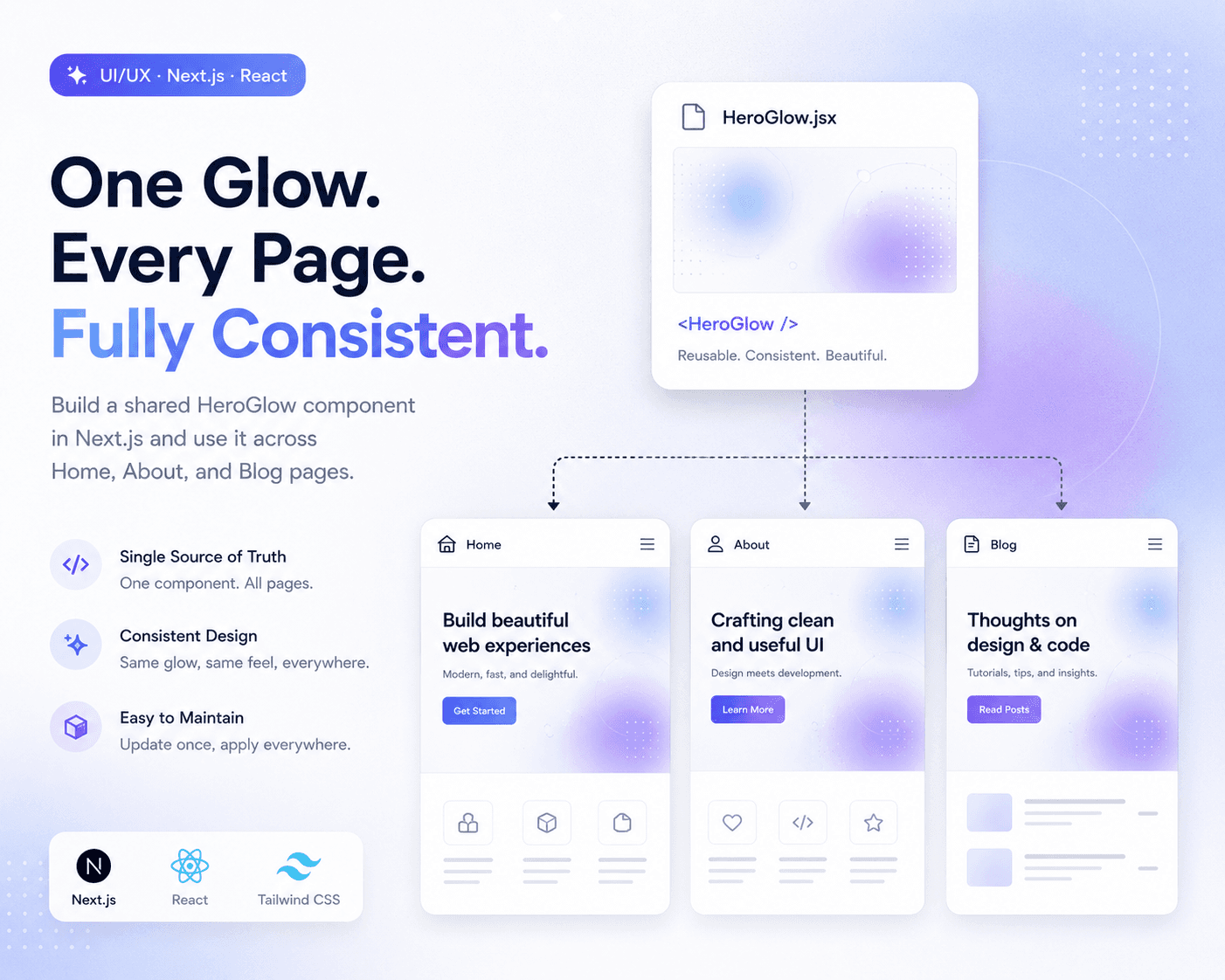
This note documents how I refactored the hero glow effect into a shared HeroGlow component so Home, About, and Blog could use the same visual language.
The Problem
The original problem was design inconsistency caused by duplicated visual logic.
Home, About, and Blog each had their own hero background implementation. They used similar ideas, such as soft gradients, light effects, and blurred glow shapes, but the details were not identical.
That created a subtle mismatch:
Blog had one glow style.
Home had another glow style.
About had another glow style.
The pages felt related, but not fully unified.
This kind of issue is easy to miss because nothing is technically broken. The page still builds, the layout still works, and the design still looks acceptable. But across multiple pages, the inconsistency becomes more visible.
Why This Matters
Visual consistency is not only an aesthetic detail. It affects how stable and intentional a site feels.
For a small technical site, the hero section is often the first area a visitor sees. If the Home, About, and Blog pages each use a slightly different background language, the site can feel like separate pages stitched together instead of one system.
The better approach is:
One shared visual pattern
One reusable component
Multiple pages using the same design language
This also makes future maintenance easier. If the glow effect needs to be adjusted later, I should not have to update three separate files.
The Initial Assumption
At first, it is tempting to treat this as a small styling issue.
For example, I could manually adjust Home and About until they looked closer to Blog. But that would only fix the current surface-level mismatch.
The deeper issue was structural:
The glow effect was not a shared design primitive.
Each page owned its own background logic.
Consistency depended on manual copying.
That is fragile. Manual consistency works only until one page changes and the others fall behind.
The better fix was to extract the glow effect into a reusable component.
Extracting a Shared HeroGlow Component
The main change was to create a shared component:
app/components/HeroGlow.jsx
Instead of letting each page define its own background glow layers, the shared component owns the hero background language.
The goal of the component is simple:
Provide one consistent hero glow background.
Allow multiple pages to reuse it.
Keep glow styling in one place.
Avoid page-by-page visual drift.
This turns the glow effect from a page-specific decoration into a reusable design-system element.
Adjusting Card Styling for Better Consistency
The glow background was not the only consistency issue. The right-side cards on Home and About also needed to feel closer to the Blog page.
The adjustment was to move those cards toward the same visual style:
bg-white/80
soft shadow
backdrop blur
light border
clean spacing
This matters because a shared background alone is not enough. If the cards sitting on top of the background use very different styling, the page can still feel inconsistent.
The goal was not to make every page identical. The goal was to make the pages feel like they belong to the same interface system.
Before and After
Before the refactor, the structure looked like this:
Home page: custom hero glow
About page: custom hero glow
Blog page: custom hero glow
That meant visual consistency depended on three separate implementations staying aligned.
After the refactor, the structure became:
HeroGlow component: shared glow system
Home page: imports HeroGlow
About page: imports HeroGlow
Blog page: imports HeroGlow
This is a better structure because the design source of truth is now centralized.
Why I Did Not Just Copy and Paste the Blog Styles
Copying the Blog glow styles into Home and About would have produced a similar visual result in the short term, but it would not solve the maintenance problem.
Copy-paste creates hidden debt:
Three places to update
Higher chance of visual drift
Harder to remember which version is correct
More repeated code
Less clear design ownership
A shared component avoids that. It makes the design decision explicit:
HeroGlow is the source of truth for hero background lighting.
That is cleaner than repeating the same glow layers across multiple pages.
Verification
After the refactor, I verified that the site still built and that the key pages still responded correctly.
The checks were:
npm run build passed
/ returned 200
/about returned 200
/blog returned 200
This verification step matters because a shared component can affect multiple pages at once. If the component import or rendering logic is wrong, the error may break more than one route.
Since the build passed and all three routes responded correctly, the refactor was safe.
Mental Model
The useful mental model is:
Repeated style = local styling
Repeated style across important pages = design pattern
Repeated design pattern with manual copies = refactor candidate
Shared component = source of truth
A glow background may look like a small visual detail, but once it appears across several main pages, it becomes part of the site’s design system.
At that point, it should not be maintained separately on every page.
Lessons Learned
The biggest lesson is that visual consistency should be handled structurally, not manually.
If three pages are supposed to share the same hero language, they should not each implement that language independently. A shared component makes the design easier to maintain and reduces the chance that one page slowly drifts away from the others.
This is especially useful for personal technical sites, where the same person may be designing, writing, and coding. A small component extraction can make the site feel more polished without adding complexity.
Final Takeaway
The final takeaway is simple:
If a visual pattern appears across multiple important pages, turn it into a shared component.
For this refactor, the shared HeroGlow component made Home, About, and Blog more visually consistent. It also made future changes easier because the glow effect now has one source of truth.
This is the kind of small frontend refactor that improves both design quality and code maintainability.
What this note covers
- Introduction
- The Problem
- Why This Matters
- The Initial Assumption
Related technical notes
Last updated: June 30, 2026
Related category: Web Development
Related stories
Curated reads to continue the thread.

Turning a Next.js Blog into a Technical Content Hub
A practical Next.js refactor note on restructuring a blog into a clearer technical content hub with topic paths, case studies, author signals, metadata, sitemap updates, and article-level internal linking.

Debugging a Blog Post Layout Issue in a Next.js Article Template
A practical frontend debugging note on fixing a Next.js blog post page where the layout issue came from the article template, not the post content.

Building a Real Cookie Consent Settings Flow in Next.js
A practical frontend implementation note on fixing a Privacy Policy cookie settings link that did nothing, then turning it into a real consent settings flow with a bottom-right banner, saved choices, and a reusable settings panel.
Debugging a Privacy Page Scroll Jump Bug in Next.js
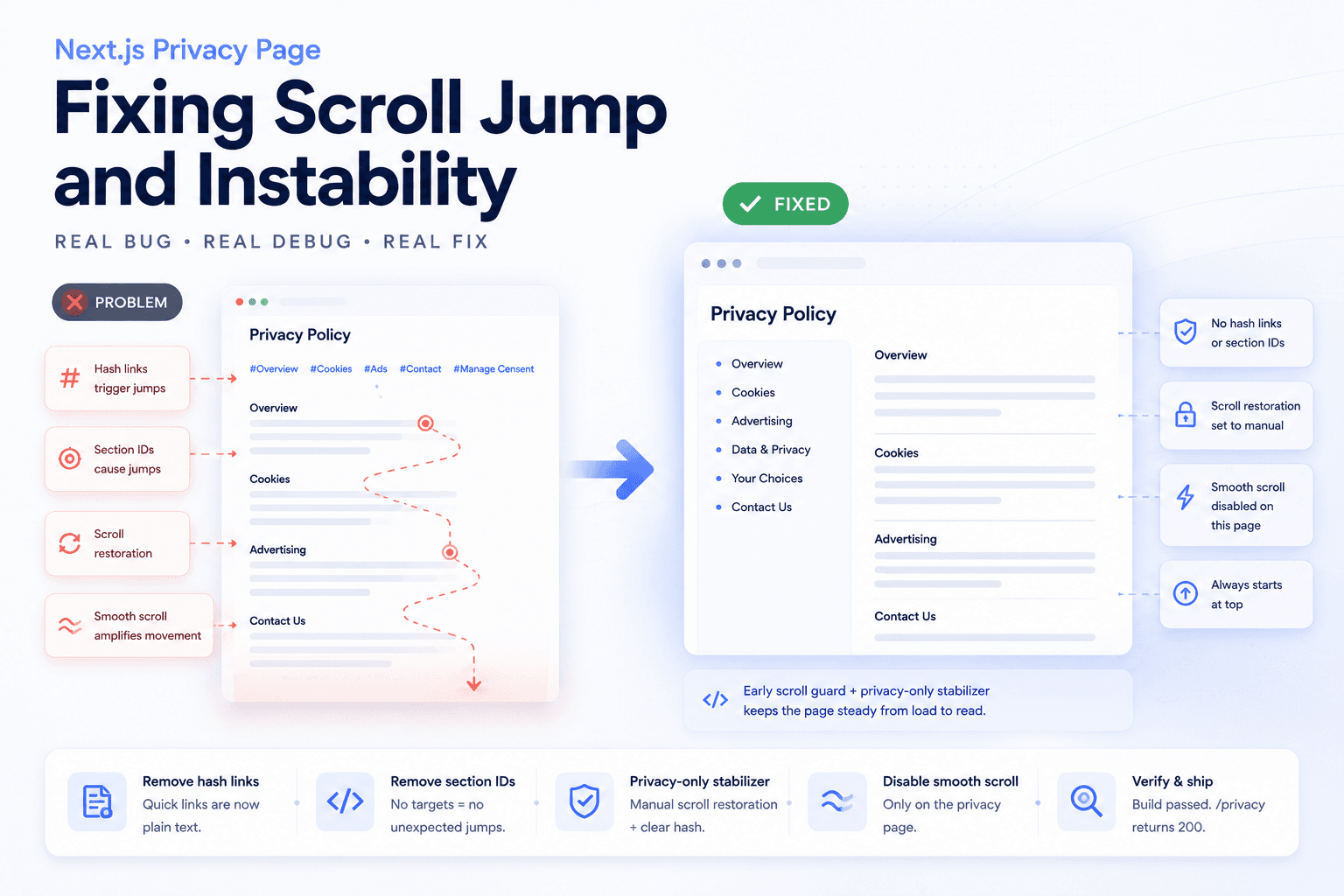
A practical frontend debugging note on fixing a Privacy Policy page that kept jumping up and down because of hash anchors, smooth scrolling, browser scroll restoration, and page-specific navigation targets.

Restructuring a Next.js Research Website: Blog vs Publications
A practical information architecture note on separating blog posts, publications, and projects in a Next.js research website so the site feels clearer, more credible, and easier to navigate.

Fixing Git Push Upstream Errors After Creating a New Remote
A practical Git build log on fixing the fatal: current branch main has no upstream branch error after connecting a local project to a new remote repository.

Deploying One Git Project to Both GitHub and Hugging Face Spaces
A practical Git deployment note on managing two remotes in one project: pushing source code to GitHub while also deploying the same app to Hugging Face Spaces.

Fixing Low Value Content Risk on a Small Technical Site
A practical site audit note on why a small tool or service-style site may look weak for AdSense, and how to restructure it into a clearer technical content site with categories, author context, internal links, and real implementation notes.